Claude AI Setup in Las Vegas
Claude that already knows your business on day one.
Claude AI setup in Las Vegas means your team opens Claude and it already knows your services, your voice and your documents. I pick the plan, set the admin rules, build shared Projects from your company knowledge and train each role on its own work. I'm Justin Harris, an independent AI consultant, and every client of mine has a Project built this way.
Trusted By














What Gets Set Up
What Claude AI setup in Las Vegas includes.
A team that signs up on its own gets a dozen separate chats and nothing shared. A proper setup gives everyone the same starting point: your knowledge, your rules and your tools, with you holding the admin keys.
The right plan and seats
Pro, Max, Team or Enterprise picked for how your people actually work, with Standard and Premium seats mixed on Team so heavy users get more room and everyone else costs less.
Workspace and admin rules
Domain verification, single sign-on where you have it, org instructions, and connector controls set before anyone logs in, so nobody wires up a tool you never approved.
Projects with your knowledge
Shared Projects for sales, operations, service and each key client, loaded with the price sheets, templates, SOPs and past work your team keeps reaching for.
Connectors to your apps
Google Drive, Gmail, Calendar, Slack, HubSpot and the rest connected with the least access each one needs, so Claude can read the source instead of a pasted copy.
Skills for repeat work
Your proposal format, your quote rules, your review reply style, written once as skills the whole org can use, so the fifth draft matches the first.
Training on real work
Each role learns Claude on its own tasks, not a demo deck, and keeps a short playbook of the prompts and Projects that work for them.
Want hands-on sessions for your staff after setup? See Claude training in Las Vegas.
Who Uses It
What each person on your team does with Claude.
Setup is shaped around roles, not features. These are the roles I set Claude up for most often in small and mid-size businesses.
The owner
Asks the company Project for last quarter's pricing exceptions, drafts the hard email in their own voice, and gets a second opinion on a contract before calling the lawyer.
Office manager
Turns a messy procedure into a clean SOP, writes the staff memo, and answers policy questions from the handbook Project instead of digging through folders.
Sales
Builds proposals from your templates and price rules, preps for calls from the CRM through a connector, and writes follow-ups that sound like your best rep.
Operations
Reads a vendor quote against your standards, summarizes a long thread into the three things that matter, and drafts the checklist for next week's job.
Marketing
Writes posts, emails and page copy in your brand voice from a Project that holds your style guide and best past work.
Finance and admin
Explains a report in plain English, cleans up a spreadsheet, and drafts the polite payment reminder, with account numbers kept out of the chat.
How It Works
From sign-up chaos to a team that uses Claude well.
Step 1
Audit
A 30-minute call on who uses Claude today, on which accounts, and which work eats the most hours each week.
Step 2
Configure
Plan and seats chosen, the workspace verified, admin rules and connector controls set, existing accounts moved over.
Step 3
Load
Shared Projects built from your documents, org instructions written, and skills set up for the work you repeat most.
Step 4
Train
Each role learns on its own tasks, in person in Las Vegas or over video, and leaves with a one-page playbook.
The Claude Ecosystem
This install is one part of the system.
Claude is where your team thinks and writes with your company knowledge. Claude Code is where the tools and automations get built. Claude Duet checks your connected apps and brings you what needs you. Each one works alone. Installed together, they draw on the same skills, connectors and company knowledge, and hand work to each other.
Want the strategy before the install? See my work as a Claude expert in Las Vegas. Need your team trained once it is running? See Claude training in Las Vegas. Need software built on top of it? See my Claude Code agency work.
How I Use It
How I run Claude in my own business.
A Project for every client
Each client Project holds their brand guide, history, past deliverables and rules, so a draft for them starts from what I already know.
Skills for every repeat format
Proposals, audits, client reports and design reviews each have a skill, so the format and quality hold no matter who or what writes them.
Connectors instead of copy and paste
Mail, calendar, Drive and my CRM are connected, so Claude reads the real thread or file instead of the version I remember.
The systems are written up in my work. Want to see what yours would look like? Book a 30-minute consultation.
Proof, Not Promises
Claude systems I use with clients
Valhalla: The AI Client Portal and Operating System That Runs My Agency
Valhalla is my AI client portal and operating system: one ledger where every task, project, and deliverable is recorded and clients can watch the work happen.
Read the case studyThe 8-Phase Deliverable Pipeline: How AI Work Ships Clean at Speed
How AI marketing work ships clean at speed: an 8-phase deliverable pipeline with five deterministic gates, a non-author adversarial review, and a rendered-fidelity check.
Read the case studyThe Proposal Maker: An Interactive Proposal Builder With a Ten-Check Preflight Gate
The Proposal Maker is an interactive proposal builder that ships each proposal as its own branded website, with a ten-check preflight gate so nothing broken or off-doctrine reaches a client.
Read the case study
The model is the same for everyone. The setup is what makes it yours.
One 30-minute call shows what your team's Claude setup should look like.
Security and Privacy
How your data is handled
Your accounts, your keys
The AI provider, automation platform and API keys are set up in your name. I work inside them and never hold your systems on mine.
Least access
Each connection gets only the permissions its job needs. Read where reading is enough, write only where the workflow writes.
Business AI tiers
I build on the business and API tiers of Claude and ChatGPT, whose providers state they do not train their models on that data by default.
Sensitive data stays separate
Patient, financial and personnel records stay out of marketing and sales tools. I have built that firewall for a regulated clinic.
Clean exit
When the engagement ends, my access is removed. The system keeps running without me.
See how I kept patient data firewalled from a clinic's marketing CRM in the regulated clinic case study.
Common Questions
Claude AI setup questions
Claude AI setup covers the plan and seats, the workspace and admin settings, shared Projects loaded with your company knowledge, connectors to the apps you already use, a few skills for your most repeated work, and training for each role. You end with a team that opens Claude and starts from your business instead of a blank chat.
About the Author
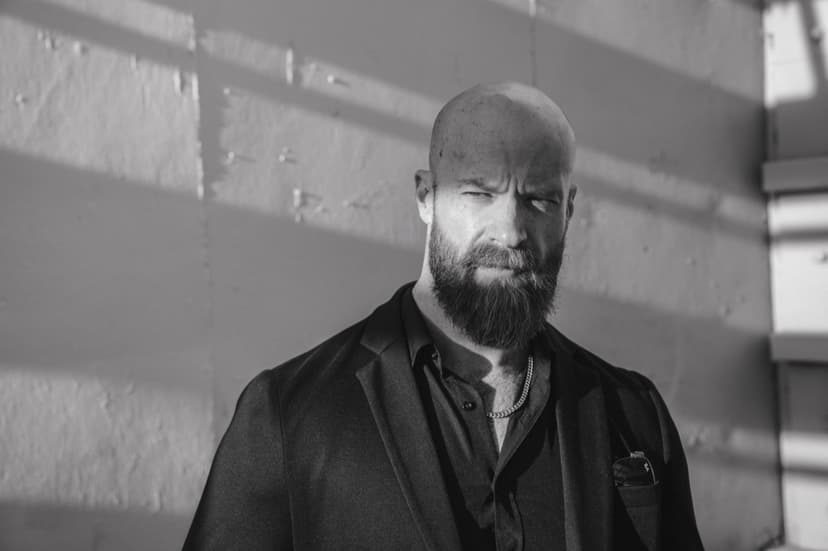
Justin Harris
AI Consultant · Las Vegas, Nevada
Justin Harris is a Las Vegas entrepreneur building a fully autonomous AI consultancy and agency. He runs his own company on a workforce of AI agents he designed end to end, and he builds the same systems for service businesses across the city: capturing every lead, answering and following up in seconds, and tying ad spend to real revenue. His focus is simple: give local businesses the autonomous AI advantage he uses to run his own.
Book a 30-Minute Consultation
Your competitors are already
running these systems.
Book a 30-minute consultation with me directly. I walk you through where your business is leaking revenue and where AI could fit. Pick a time, no forms.
