App Development Las Vegas
Apps for phones and business
App development Las Vegas owners can check starts with a written scope that I write myself. I build custom apps for Valley businesses, from a phone app customers install to an internal tool your team uses every day.
★★★★★ 5-star rated on Google · 14 years · 300+ Las Vegas businesses

Trusted By
















App Development Services
Most app work starts with a phone. Some owners need an app their customers install from the App Store or Google Play. Others need one that runs in the phone browser from a link or a QR code. Each of the four pages below covers one route in detail, with how I run the build, what it costs to scope and what you get at the end.
If you are not sure which route fits, the first call settles it, and I will say so when neither one is the right choice. Each page also lists the questions to ask a developer before you sign anything.
Each app service page covers one route in plain terms: what the app does, who uses it and what the first release leaves out. The scope is written before the build so the owner can say no to features that belong in version two. The scope names the first release clearly, so the rest of the list waits for a later version.
The phone apps I build
Mobile app development
One plan for an app that serves customers on iPhone and Android, with the store submission handled as part of the build and the review notes written for you.
Read more →iOS app development
Apps built for iPhone, scoped around the screens your customers use and the review rules Apple applies before each release reaches the store.
Read more →Android app development
Apps for Android phones, tested on a range of screen sizes before release so the layout holds on more than one model a customer might carry.
Read more →React Native app development
One shared codebase for an app that has to reach both stores, written so each screen still feels like a phone app on the device holding it.
Read more →Business Software Development
Some apps are the business itself. A booking platform, a client portal or an internal tool that staff run all day is software first and a phone screen second. These four pages cover the software side, the accounts behind it and the connections that keep it working when another system changes its rules.
Many of these projects start as a spreadsheet or a shared inbox that has outgrown itself. Before I design the replacement, I look at what the team does in that tool every day, so the new software does not ask staff to learn a new routine for its own sake.
Business software gets the same written scope as a customer-facing app, with the reports and the approval steps listed first. Internal users are interviewed about the tasks they repeat, and those tasks define the first screens. Access rules by role are part of version one. Reports are listed with the question each one answers. Dashboards are scoped as reports.

Software for the work behind the app
- Step 01
SaaS development company
A product many customers sign up for, with accounts, roles, billing and the admin screens your team needs to run it from one place every day.
- Step 02
Custom software development
Internal tools and workflow software built to the way your team already works, not to a generic template that asks your staff to change their habits.
- Step 03
API development
The connections between your app, your website and the other systems you already use, built to log errors and fail loudly instead of quietly dropping a record.
- Step 04
Payment gateway integration
Card payments, refunds and subscriptions wired into your app through a processor such as Stripe, with the failure paths tested before any customer pays.
Which App Fits Your Business
Matching the app to the problem
The right app depends on who uses it and what they do with it. A founder with a consumer product usually needs a phone app customers find in a store. An operator with a field crew, a sales team or a front desk usually needs a tool staff open on a work phone or laptop. I start with the person who will use the app most, and I write down the three tasks they must finish without help.
That list decides the first version. Features that sound useful but do not serve those three tasks move to a later version, and the written scope says so. Owners often arrive with a long list of ideas, and the scope I write back is shorter, with a reason for every item on it.
The right route is usually the one that touches the fewest systems. A customer-facing app that only shows a menu, a booking calendar or a loyalty card can often start smaller than the owner expects.
When a Website Is the Better Answer
Sometimes a website does the job
Not every business needs an app. If customers only need your hours, a booking form and a phone number, a fast website that works on a phone will do the job for less, and nobody has to install anything to use it. A site that loads quickly on a phone and sends each booking to the right person often beats an app that nobody installs. I say so on the first call when I think that is the case.
A middle option is a web app: a page that works like an app and opens from a link or a QR code. I built the guest-upload tool for a wedding film studio that way. Each table had a code, guests scanned it and sent photos without installing anything. It fits best when the job is short and the user is already in the moment.
A fast website often wins when customers only visit to read or fill a form.

Four Routes to a Working App
How the main app types compare
The four routes are a phone app for each platform, a cross-platform app for both, a web app that runs in the browser, and a business tool for internal staff. Each route has a different cost curve and a different maintenance load, so the choice is made from the work the app has to do.
A phone app and a web app can share a back end, so a choice made now does not lock the business in for good. The business tool route is common for staff screens that do not need public listing.
Each route is compared in a short table at the start of the project, so the trade-offs are visible before the first sprint.
| Route | Who it fits | How customers get it | Review before release | What moves the cost |
|---|---|---|---|---|
| Native iOS | An iPhone-first product that uses the camera, sensors or Apple features | The App Store, after a review of the build and the listing | Apple review on each release, with its own notes and screenshots | Screens, device features, the review cycle and the store setup |
| Native Android | An Android-first product or a field tool built for one device type | Google Play, after a review of the build and the listing | Google Play review on each release, with its own notes and screenshots | Screens, device features, testing across phones and the store setup |
| React Native | One product that must reach both stores on one codebase | Both app stores, from the same build | Both store reviews on each release, handled as separate submissions | Shared code, plus design, the store setup and the second platform's checks |
| Web app | A tool a customer opens from a link or a QR code | A browser, with no install and no store listing | None, since nothing is submitted to a store | Screens, accounts, the data behind them and the hosting |
How an App Project Runs
Every app project runs the same five steps, and each one ends with something you can open, test and approve. Store submission and the launch date are written into the scope before any build work starts, and each step names the person who signs off on it before the next one begins. Each step also has a written exit, the point where the work is accepted and the next step can start.
Every project starts with a discovery call, a written scope and a clickable prototype before any production code is written. The owner signs off each stage, so the build follows decisions that have already been made. Testing runs alongside each stage, not as a final step.
Launch planning starts in week one, so store listing copy, screenshots and privacy answers are ready before the build is finished.
Five steps from idea to launch
- Step 01
Write the first version
I write the scope as a short list of the three core tasks, their screens and the connections the app must make. You approve it before design begins.
- Step 02
Design the screens
I sketch each screen at phone size and walk you through the flow in a clickable version, so every change happens before any code exists and costs less to make.
- Step 03
Build and test
I build the screens and the back end, then test each task on real phones and record each result, pass or fail, in a list you can read at any point.
- Step 04
Submit or launch
For a store app I handle the submission, the review notes and the store listing. For a web app I handle the domain, the hosting and the go-live checks, in that order.
- Step 05
Watch the first weeks
After launch I track crashes, failed payments and the tasks people actually finish, then send you a plain list of what to change first and why.
Real Builds I Can Show
Each link below goes to a live build or its case study, with the scope and the stack written out. I describe each one by what it does and by who uses it, so you can judge whether it is close to what you need. A build that is close in kind can still differ in the phone it runs on, and the case study says which parts carry over and which do not.

Work I have built that you can open
- Step 01
Moments: a guest photo upload app
A no-install app for a wedding film studio. Each table has a QR code, guests upload photos from their phones, and the files land in the studio's own Drive.
- Step 02
Las Vegas business directory
A valley-wide service directory on Vercel, Neon Postgres and Stripe, where Stripe payment state decides who is listed and who is not.
- Step 03
Review Lite: review requests
A review-request app where a request goes out on a human click, and a fixed reminder schedule nudges anyone who has not replied yet.
- Step 04
Valhalla: client portal
The operating system and client portal I run my own business on, with billing pulled from Stripe and every task tied to a project and a client.
App Development Portfolio
Work I built, live where you can check it
Website build · Las Vegas
WebVegas: a Las Vegas web design brand and its booking funnel
I designed and built webvegas.io, a Las Vegas web design and SEO brand: the site, a four-step booking form that hands each lead a free design walkthrough, and the brand behind it.
See the live sitePortfolio Examples
More of the work
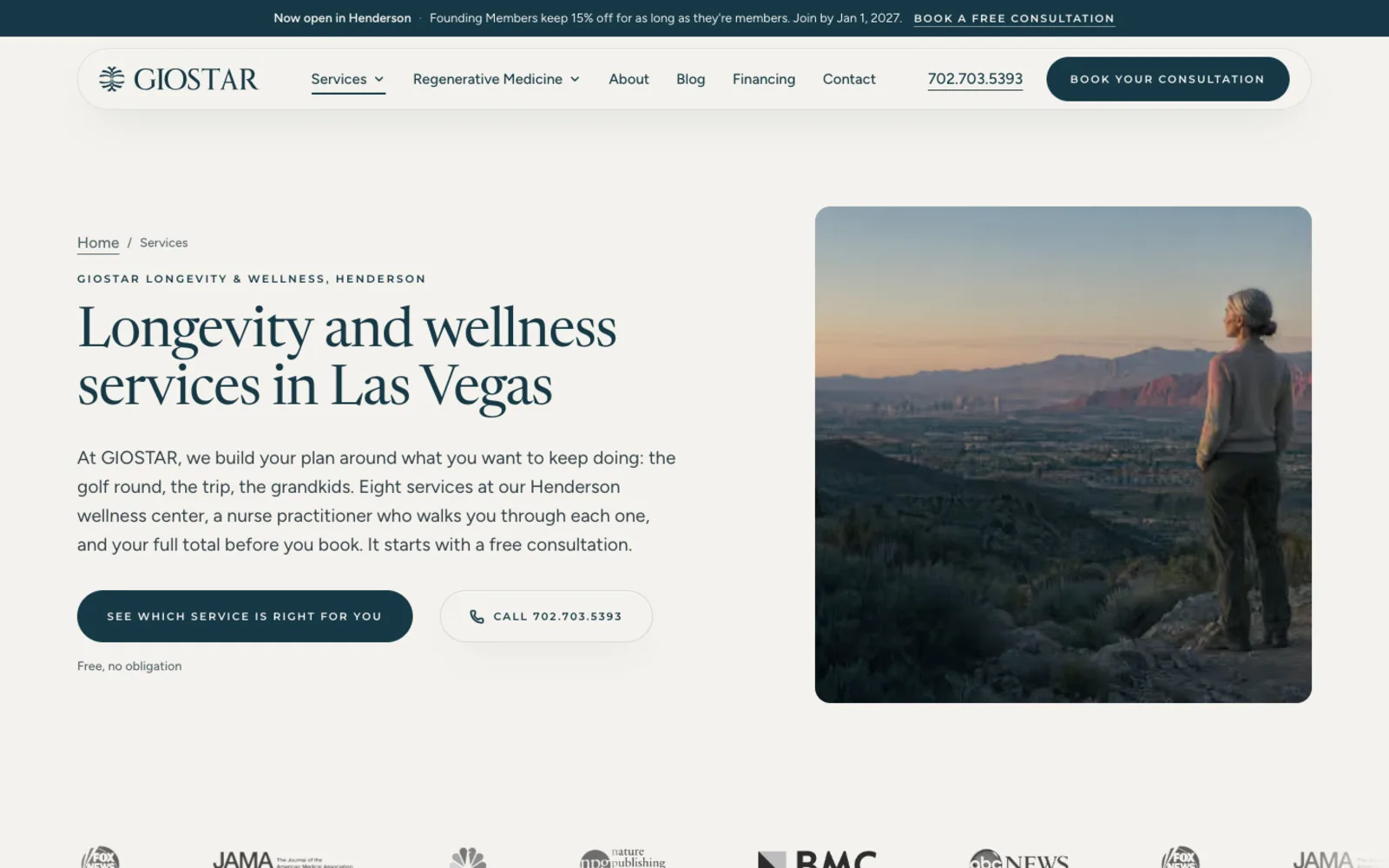
Website build · Henderson
GIOSTAR: the clinic website, booking and lead tracking
See the live site

Brand mark · Event venue
Desert Inn Oasis: the refined mark and the plan for the new site
Site in build

Brand identity · Pharma
Mili Pharma: the butterfly mark and the lockups
Site in build
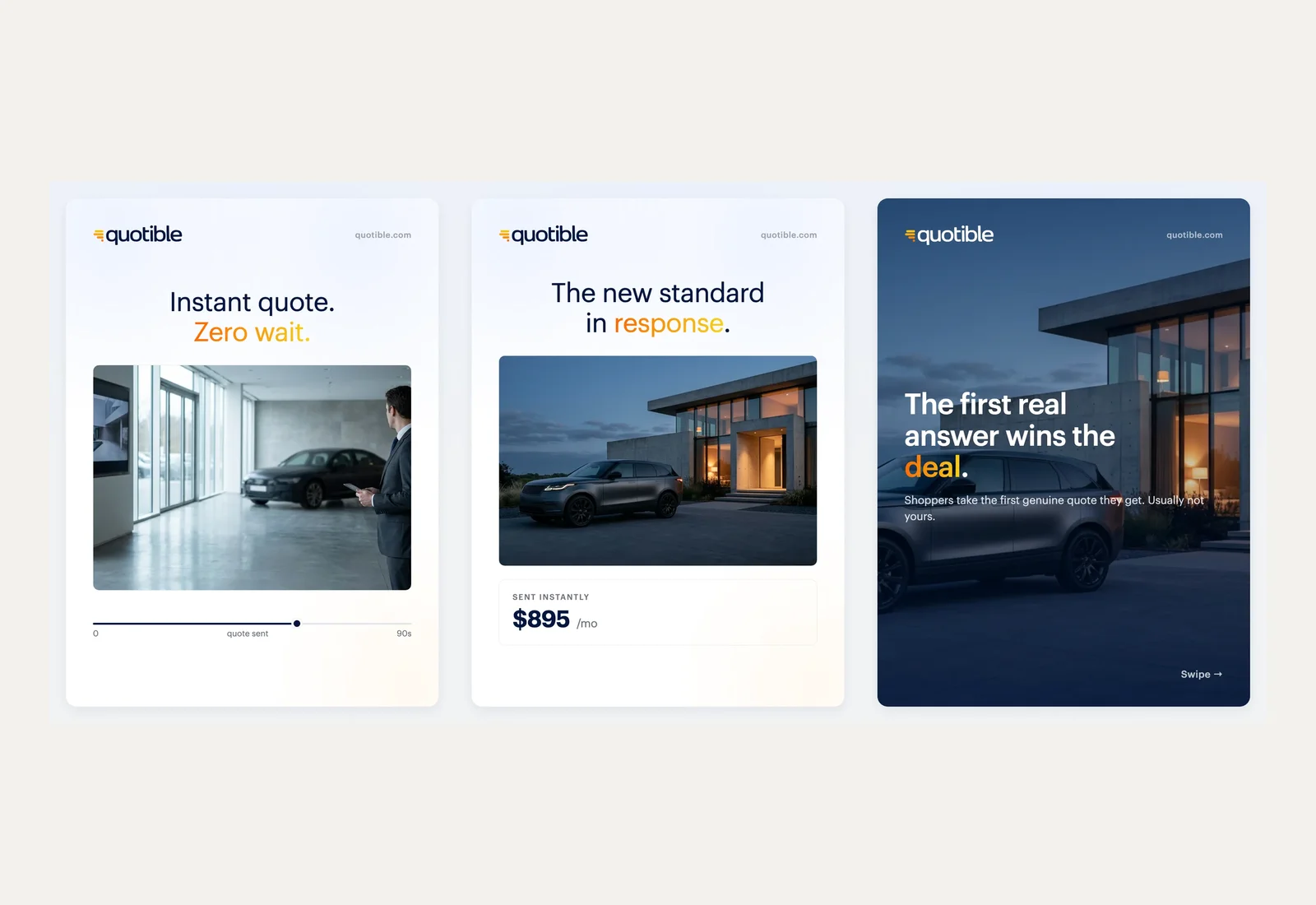
Social content system
Quotible: a testimonial-led social series
Content system

Want me to look at your site first?
A free audit, and a same-day reply from Justin, personally.
Who Builds the App
One builder from scoping to launch
When you hire me you talk to the person writing the screens and the back end. There is no hand-off to a junior developer who has never met your team. I have worked in Las Vegas digital marketing for fourteen years and worked with more than 300 Las Vegas businesses, so I know how a customer finds a business and where that path breaks.
I do the work myself. The person who scopes the app is the person who codes it, and the person you call in week six wrote the first version. That matters most when a launch goes sideways on a Friday, because the person who knows the code is the one answering the call. I am 5-star rated on Google, and the written reviews sit in the reviews band below, word for word.
The builder and the maintainer are named in the agreement. Handoffs are written down, so no single person's memory holds the app together. Support contacts are listed in the agreement.
App Development Reviews
What clients wrote on Google
- ★★★★★
After going back and forth on whether to bring in outside help, we ended up working with Justin for some AI consulting on how to structure our operations. He laid out a clear plan, didn't overcomplicate it, and we've been running smoother since. Good fit for a service business. He knows Las Vegas and he knows this stuff.
Kristen S. · Google
- ★★★★★
Justin joined our team a few months before opening to replace a marketing agency that wasn’t performing. He stepped up fast. Within weeks he launched a fully redesigned website with new brand guidelines, built and delivered our marketing plan and AI strategy, and helped implement our system architecture so we could open on time. Since then, he’s made several critical enhancements to the site that helped us generate revenue in our first month. His engagement was supposed to end at opening, but he became such an integral part of our leadership team that we kept him on to help evolve our marketing and tech strategy as we grow. He’s easy to work with, pushes back when it matters, and moves easily between strategy, delivery, and operations depending on what’s needed. If you’re looking for a deeply experienced, knowledgeable, and dedicated marketing, AI, or technology consultant, I highly recommend Justin Harris AI Consulting.
Devin R. · Google
- ★★★★★
Justin has been a true Gem to have as part of our company. His professionalism, immediate attention to branding and extensive details in marketing has made so much improvement on our business. We are forever grateful to have such and amazing marketing asset and cannot thank you enough Justin!
Desi W. · Google
- ★★★★
Justin Harris was very helpful in resolving some issues we had with our Webflow website.
Kristy F. · Google
- ★★★★★
I had the pleasure of working alongside Justin and consistently saw firsthand the level of dedication and professionalism he brings to his work. He was always the first one in the office, setting the tone with his strong work ethic and commitment to excellence. What stood out most was how deeply he cared about every client. He approached each project with thoughtfulness, expertise, and a genuine drive to deliver meaningful results. He combines sharp technical knowledge with a practical, solutions-oriented mindset, which makes him especially effective in the AI space. Any organization looking for thoughtful, reliable, and highly skilled AI consulting support would be in great hands working with him!
Jenevine Y. · Google
- ★★★★★
Hired him to manage our AI systems and it's been pretty smooth. He knew what needed to be done and got it handled without a lot of back and forth. Good experience for our service business.
BC G. · Google
- ★★★★★
I follow Justin on social media and read about his work and his contributions to the AI industry. He really knows how to use the technology in creating a system that allows you to make your business work more efficiently and effectively.
Ana J. · Google
- ★★★★★
Justin was the person I would go to for advice about AI automation for my workload. He knew the subject well and didn't overcomplicate it. For anyone in Las Vegas running a service business and wondering if AI systems are worth looking into, talking to him first is a great move!
Yaneliz M. · Google
- ★★★★★
Working with Justin is always a pleasure. He is professional, trustworthy, and consistently delivers outstanding results. As a longtime Las Vegas local, he has an exceptional knowledge of the territory and truly understands the market. I highly recommend his services to anyone who is serious about growing their business!
k C. · Google
- ★★★★★
From what I've seen, Justin knows the AI automation space better than most people I've come across in Las Vegas. He's the kind of person who actually understands the technical side and can explain it without making you feel lost. Good guy, good reputation.
Afaryn F. · Google
- ★★★★★
I've Known Justin for a while now and he really knows his stuff when it comes to AI consulting. If people in Las Vegas were to ask me for recommendations in this space, he's the best guy for the job, hands down.
Mickey S. · Google
- ★★★★★
After going back and forth on whether to bring in outside help, we reached out to Justin for some AI consulting advice on where our service business could actually use automation. He was straightforward about what made sense and what didn't. Ended up being a useful conversation. Las Vegas has no shortage of people claiming to be experts, and he's one of the few who could back it up.
Vincent M. · Google
- ★★★★★
Known Justin for a few years now and the guy actually knows his stuff when it comes to AI automation. Friends in the Las Vegas service business space keep asking me who to call and I always point them his way.
Chris M. · Google
- ★★★★★
Justin is one of those guys who actually knows what he's talking about and doesn't cut any corners. Will definitely be working with him again.
David S. · Google
- ★★★★★
Justin knows what he's doing highly recommend using his service he will treat you right and give you tremendous value !👍
Gregory J. · Google
- ★★★★★
Known Justin for a many years and the guy actually knows what he's talking about when it comes to AI and automation. Not the type to just throw buzzwords around. Based in Las Vegas and well connected in the space. …
cindy D. · Google
- ★★★★★
Known Justin for a few years now. Guy knows the AI space better than most people I've come across, especially here in Las Vegas where there's no shortage of people claiming to be experts. He actually understands how AI automation works at a practical level, not just the theory. The kind of person who gives you a straight answer with kindness and patience
Katelyn H. · Google
- ★★★★★
Knew Justin before he started building AI systems for businesses, and watching what he's put together is genuinely impressive. He built out an AI automation setup for my website in Las Vegas and it changed how we handle leads completely. The guy actually runs this stuff himself, so he knows what works.
Justin E. · Google
App Scope and Written Quote
A written scope before any code
The scope is a single page. It lists the screens, the tasks each user must finish, the connections to other systems, the store or hosting steps and the launch date. If a quote arrives without those items, ask for them before you sign, since the missing items are where most app budgets change.
I quote a fixed price for that written scope. Changes you ask for later get their own short scope, with the price and the effect on the schedule written out before I start. A change that adds a new screen and a new integration gets two lines in the scope, one for each, so neither can slip in unpriced.
The written quote lists the screens, the integrations, the store accounts and the test devices included in the price. Anything outside that list is named as a separate item, so the owner can compare options fairly. Changes to the scope are quoted in writing before the work starts. Each line item has a short reason.
App Development Questions
Questions owners ask before a build
App Developer Las Vegas
A builder in the Valley, in person or on a call
I work from Las Vegas, and I meet owners across the Valley at their office when a build needs a whiteboard session or a screen walkthrough. The areas I serve are listed further down this page, with every ZIP code in them.
Most of the work runs over a call and a shared screen. Bring the phone you use most, since the first walkthrough is easier when the app runs on the device your customers will hold. I send each working version to your phone, so you can tap through the flow yourself and note what you want changed. Written notes follow each call, listing what was decided and what each side owes next.
Local developers can meet in person for planning sessions and walk through a prototype on a real device. Video calls cover the weekly progress check, so the schedule does not depend on a single meeting room. An onsite visit is offered before the scope is written, when the owner wants to see the workflow.
App Development Las Vegas NV
Every part of the Valley, by ZIP code
Las Vegas
89030 · 89101 · 89102 · 89104 · 89106 · 89107 · 89108 · 89109 · 89110 · 89117 · 89124 · 89128 · 89129 · 89130 · 89131 · 89134 · 89138 · 89143 · 89144 · 89145 · 89146 · 89149 · 89166
Henderson
89002 · 89005 · 89011 · 89012 · 89014 · 89015 · 89044 · 89052 · 89054 · 89074 · 89120 · 89122 · 89123 · 89183
North Las Vegas
89030 · 89031 · 89032 · 89081 · 89084 · 89085 · 89086 · 89101 · 89115 · 89130
Summerlin
89128 · 89134 · 89135 · 89138 · 89144 · 89145 · 89148 · 89161
Spring Valley
89102 · 89103 · 89113 · 89117 · 89118 · 89146 · 89147 · 89148 · 89178
Paradise
89074 · 89102 · 89103 · 89109 · 89118 · 89119 · 89120 · 89121 · 89123 · 89158 · 89169 · 89183
Enterprise
89113 · 89118 · 89119 · 89123 · 89139 · 89141 · 89148 · 89178 · 89179 · 89183
Sunrise Manor
89104 · 89110 · 89115 · 89121 · 89122 · 89142 · 89156
Boulder City
89005 · 89044
Free App Development Las Vegas
What I give away before a build
I do not build an app for free. A free build usually costs you later in the hosting, the store account or the changes you cannot make yourself, and free builds often leave the code with whoever wrote it, which is a problem the first time you need a change.
What I give at no charge is the first conversation. I listen to the idea, tell you which route fits, say when a website will do the job, and send a plain list of the questions the written scope has to answer. That first conversation is free, and you can decide what to do with the list afterward. If you need a different kind of help first, I say that too and point you to the right page.
The free consultation covers the problem, the likely route and a rough scope range. It is a planning call, not a sales pitch, and it ends with a written list of the next decisions. Notes are shared the same day.
How Much App Development Costs
What moves the price of an app
Why Hire One Consultant Instead of an Agency
One person on the app, start to finish
An agency is a good choice for a company that wants a large team, a long procurement process and separate people for design, code and project management. A single owner with an app idea usually wants fewer hand-offs and one person who answers the questions. The difference shows up on the first call, when the person who can change the scope is the person you are talking to.
I am that person for the builds on this page. I scope the app, design the screens, write the code and run the launch. That is the arrangement I offer, and the scope states it so you can hold me to it. If a task needs a specialist, I tell you who does it and why before they start.
One consultant can hold the scope, the budget and the schedule together, which removes the gap that often opens between a designer, a developer and a project manager. The owner talks to one person about every decision.
Apps for Service Businesses
Booking, intake and follow-up in one app
Many local service businesses lose work between the first tap and the appointment. A customer fills in a form, waits for a reply, then gives up. An app can hold the intake, the booking calendar and the first follow-up in one place, so the next step happens on the screen the customer already has open.
I scope these apps around the three tasks your customer must finish, then connect them to the calendar, the CRM or the payment processor you already use. I do not promise a lead count or a revenue figure, because those depend on your market and your follow-up. What I can show you is how each task is built and tested.
Every task gets a name, a screen and a test, so you can see the whole path from the first tap to the booked appointment. The fix is usually a small change in the flow, not a new product.
Service apps are built around booking, reminders and account access.
Choosing an App Developer
Questions to ask any developer first
Ask who writes the code and who answers for it after launch. Ask who opens the store developer account and who holds the hosting login. Ask how each task is tested and on which phones. Ask about past work too, and look for builds you can open rather than screenshots alone. A good answer is specific and written down. A vague answer usually means the work will be specific only after the money is spent.
Ask what happens when the phone's operating system updates, since that is the first real test of the build. Ask for the scope in writing before you sign. It should list the screens, the integrations, the store steps, the phones it will be tested on and the launch date. If a developer will not put those items on one page, that is useful information for you.
Ask to see a live app the developer launched and the store account it sits under. A clear answer shows real release experience. Ask who answers after launch.
App Integrations and Data
The systems the app connects to
An app is only as useful as the systems it reads from and writes to. A booking app needs the calendar. A sales app needs the CRM. A store app needs the payment processor and the order record. Each connection is a place where data can go missing, so each one gets its own test. Each integration also needs an owner on your side, the person who answers when the other system changes.
I write every integration into the scope with its direction, what it sends and what happens when it fails. A failed sync should show up in a log you can read, not as a missing customer that nobody notices for a week. I also list the test account each connection uses, so you can see where test data goes. Those test accounts are listed in the scope, so nothing reaches a live customer untested.
Each integration is listed with the data it reads and writes, so the owner knows what each connection touches.
Testing an App Before Launch
Tests on real phones before release
Before launch I run every task in the scope on real phones, not only in a simulator. I check the sign-up, the main task, the payment or booking path and the screens a customer sees when something goes wrong. Each task is tried from start to finish, with the screen locked and unlocked, and again on a weak connection.
Each test gets a line in a shared list with the phone model, the result and the fix. A failed test stays on the list until it passes, even when the fix looks small. You read that list before the release, so you can see what was tested and what was left out.
Tests also cover the screens that run when a phone has no signal and when a customer switches apps midway through a task. Those cases get their own line in the list, so they are never a surprise on launch day, and each one names the person who signed off on the result.
Keeping an App Secure and Current
Customer data and access, kept in view
An app holds customer names, bookings and sometimes payment records, so I decide who can see each kind of record before I build the screens that show it. Each login gets only the access its job needs, and the admin screens log who changed what. I do not store passwords in plain text, and every admin action keeps a record. Access reviews are written down, so the list of who can see what stays current.
I do not claim a compliance certificate for an app I have not audited for that purpose. If your industry has rules about customer records, I write those rules into the scope and name who checks them before launch. When the app grows, I review the access list again rather than assuming the first one still fits.
Security updates are scheduled on a fixed calendar, and each app store release is checked against the current operating system before it ships. Access to the store accounts is limited to named people.
Accounts, Launch and Changes
Accounts, launch and changes after launch
Maintenance After an App Launch
Updates, fixes and store releases
Phones change every year. Operating systems update, stores change their rules, and a payment processor can change how a card is handled. An app needs a small amount of upkeep to keep working, and that upkeep is a separate line in the scope. Each upkeep line names the task, how often it happens and who signs off on it.
When a store asks for an update, I prepare the release, the review notes and the screenshots. When a fix is needed, I describe what broke, what I changed and what you should check, so the change is never a surprise. Each release note says what changed in plain words, so you can tell a customer about it without reading code. A rejection, a fix and a release all get the same note format.
Maintenance covers store updates, operating system changes and bug fixes, billed as a monthly block with a stated limit on changes. Each change request is logged with the store review it needs.
Proof, not promises
Case studies I can show you
The Spec-Site Factory: a finished website built before the first sales call
A Las Vegas web design system that builds your finished website from your own public data before the first call, then renders it on demand in under a second. See it, then make it live.
Read the case studyThe Full Website Audit That Crawls Your Whole Site and Scores It 0 to 100
A full website audit in Las Vegas: I crawl your whole site, delegate to specialist agents across technical, on-page, speed, schema, local, and AI search, and return one 0-to-100 health score with a ranked fix list.
Read the case studyMonty and the WebVegas Identity: a full logo family plus a clay Gila-monster mascot with a pose library and motion system
How I built a full logo family and Monty, a clay desert Gila-monster mascot with a pose library and motion system, so a local-service brand is remembered, not forgotten.
Read the case studyRelated services
The rest of the range
Talk About Your App
A plain plan before any code
Tell me who will use the app and the three tasks they must finish, and I will reply with a written scope and a clear answer on whether an app is the right build.