CRM Implementation
A CRM Picked by Workflow
CRM implementation starts with how the firm sells, then chooses the tool and sets it up to match. The system fits the work, not the demo, and each step is checked before the team starts using it.
★★★★★ 5-star rated on Google · 14 years · 300+ Las Vegas businesses
Trusted By
















CRM Setup Services
A customer relationship management system holds every lead, client and conversation in one place. Set up well, it tells the team who to call next and what was promised. Set up badly, it becomes a second spreadsheet that nobody trusts.
I start with the workflow and choose the tool second. The result is a short written plan, a configured system and a team that knows which record to open at each step.

A system matched to the sale
Workflow mapping
The steps a lead takes from first contact to signed client, written with the people who do each step.
Read more →Tool selection
A comparison of the tools that fit the workflow, scored against the firm's needs rather than the vendor's list.
Read more →Configuration
Pipelines, fields, owners and automations built to the written plan and tested before go-live.
Read more →Data migration
Existing contacts and history moved into the new system, cleaned first and checked against a sample.
Read more →Integrations
Forms, calendars, email and phone connected so each interaction lands on the right record.
Read more →Team training
Short sessions on the tasks each person does, plus a written guide kept beside the system.
Read more →Who Needs CRM Implementation
Owners choosing their first system
The owner I write for runs a service firm that has grown past memory and a shared inbox. Leads are arriving from several places, and a follow-up is missed now and then. The owner wants a system, but is worried about picking the wrong one and paying for a second change later.
Other owners already have a CRM that the team avoids. In that case the first step is to find out why, because the tool is often not the problem. The workflow it was set up for no longer matches how the firm sells.
The Fear of Choosing the Wrong CRM
A tool picked by demo
The fear is reasonable. Most tools look fine in a demo, which shows the best case with clean data and a single user. The team then discovers that a field it needs is missing, or that a report it was promised takes a developer a week to build.
The fix is to score the tools against the written workflow before any demo. Each tool is tested against the same five or six tasks the team does every day, and the choice is recorded with the reason, so the decision can be defended later.

A Selection Scorecard by Workflow
Tools scored on the team's tasks
| Workflow task | What to check | Why it matters |
|---|---|---|
| Log a call and the next step | Clicks needed and whether it is saved automatically | Missed follow-ups usually start here |
| Move a deal through stages | Required fields at each stage | Stage rules decide whether the forecast can be trusted |
| Assign a new lead | Routing rules without a developer | A lead with no owner waits |
| Find a past conversation | Search across email and notes | The client's history is the sales record |
| Build a monthly report | Report setup by a non-developer | The owner reads the report, not the tool |
CRM Implementation Steps
How the project moves from plan to use
- Step 01
Step one: the workflow
The team's steps are mapped with the people who do them. The map is signed off before any tool is opened.
- Step 02
Step two: the choice
Two or three tools are scored against the map, and the choice is written up with the reason and the cost of change.
- Step 03
Step three: the build
The chosen tool is configured in a test copy, then the live account is built from the same plan so nothing is set by guesswork.
- Step 04
Step four: the rollout
The data moves in batches, the team learns the system in short sessions, and the first two weeks are checked with the owner.
What a CRM Should Track
The records a small firm needs
A small firm does not need every field a large vendor offers. It needs the records that answer the questions the owner asks each week. The list below is a starting point, and the written plan removes anything the team will not use.
- Contact and company, with one record per person
- Each lead's source and first contact date
- The service of interest and the deal value
- Every call, meeting and email, with its date
- The owner, the next step and the date it is due
- The reason a deal was won or lost
Data Migration Without Losing History
Moving records with their history
Old data is the most valuable and most damaged part of most systems. Before a single record moves, duplicates are merged, blank records are set aside and the source of each list is noted. The new system receives the history that is reliable, and the rest is kept in an archive the firm can search.
The import is checked against a sample of records by the people who use them. A contact that looks wrong to the team is fixed before the rest of the batch is loaded, so errors do not spread.

Adoption and Training
A team that uses the system
Adoption is planned in the same way as the build. Each person is trained on the tasks they do, with the real records they will see. The written guide is short, lists the common tasks and names the person to ask. Adoption is checked after two weeks and again after a month, and anything the team avoids is redesigned.
Permissions and Reporting
Who sees what, and the reports that matter
Access is set by role. A salesperson sees their own leads, a manager sees the team and the owner sees the figures. Permissions are written down so a new hire gets the right access on day one and a leaver loses it the same day.
The reports are built for the owner's weekly questions: how many leads arrived, how long each one waited and which stage the open deals are sitting in. Each report names the field it reads, so a number can be traced back to the record.
CRM Work Samples
Live builds you can click through
Website build · Henderson
GIOSTAR: the clinic website, booking and lead tracking
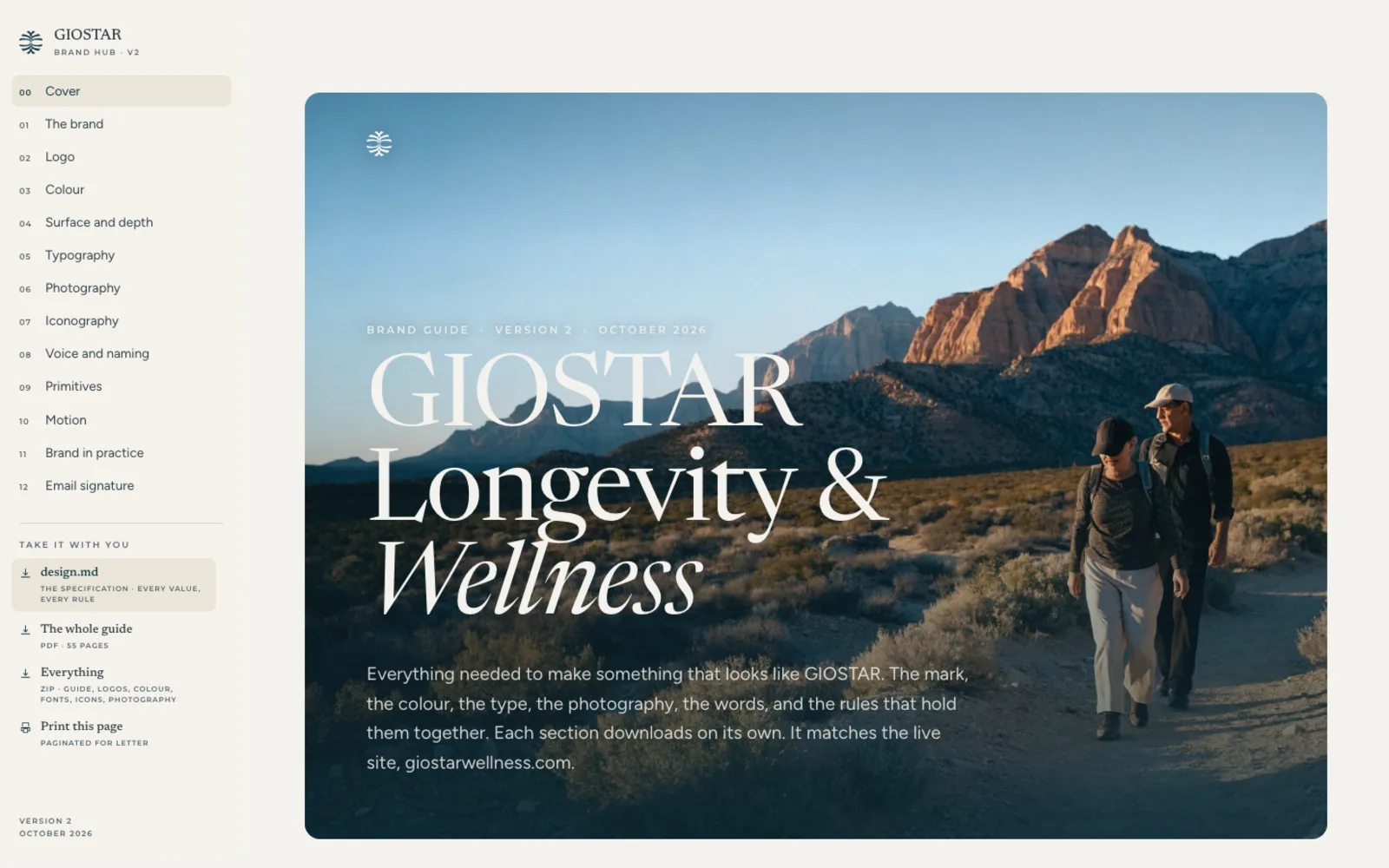
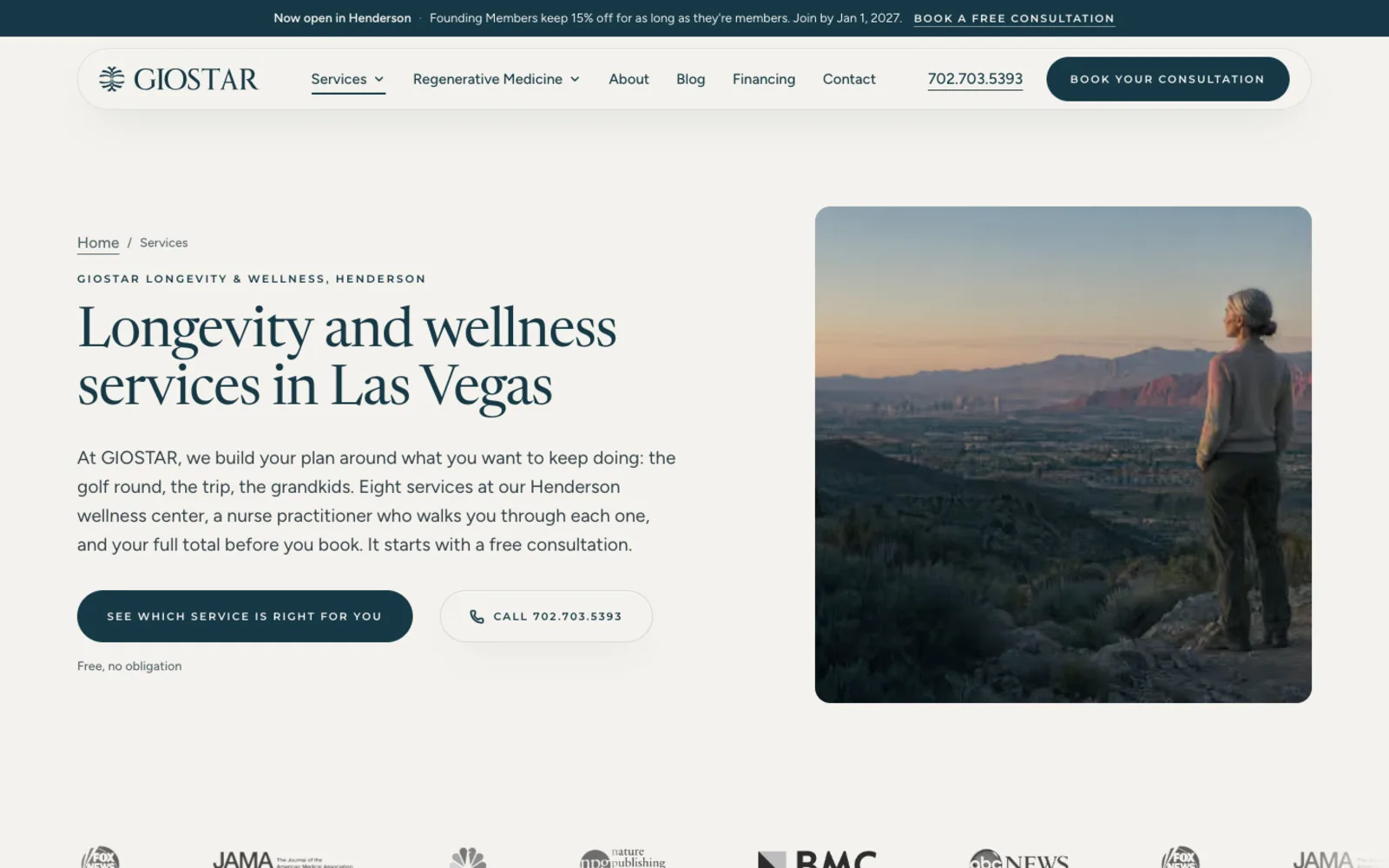
I built and run giostarwellness.com for a regenerative medicine and wellness clinic in Henderson: every service page, online booking, financing and a blog. A website lead is tracked end to end, from the form to a booked consult to an active patient, with no manual steps. I also built its live brand hub, so every page, post and print piece pulls the same colours, type and rules.
See the live sitePortfolio Examples
More of the work
Website build · Las Vegas
WebVegas: a Las Vegas web design brand and its booking funnel
See the live site

Brand mark · Event venue
Desert Inn Oasis: the refined mark and the plan for the new site
Site in build

Brand identity · Pharma
Mili Pharma: the butterfly mark and the lockups
Site in build

Social content system
Quotible: a testimonial-led social series
Content system

Want me to look at your site first?
A free audit, and a same-day reply from Justin, personally.
CRM Implementation Client Reviews
What clients wrote on Google
- ★★★★★
After going back and forth on whether to bring in outside help, we ended up working with Justin for some AI consulting on how to structure our operations. He laid out a clear plan, didn't overcomplicate it, and we've been running smoother since. Good fit for a service business. He knows Las Vegas and he knows this stuff.
Kristen S. · Google
- ★★★★★
Justin joined our team a few months before opening to replace a marketing agency that wasn’t performing. He stepped up fast. Within weeks he launched a fully redesigned website with new brand guidelines, built and delivered our marketing plan and AI strategy, and helped implement our system architecture so we could open on time. Since then, he’s made several critical enhancements to the site that helped us generate revenue in our first month. His engagement was supposed to end at opening, but he became such an integral part of our leadership team that we kept him on to help evolve our marketing and tech strategy as we grow. He’s easy to work with, pushes back when it matters, and moves easily between strategy, delivery, and operations depending on what’s needed. If you’re looking for a deeply experienced, knowledgeable, and dedicated marketing, AI, or technology consultant, I highly recommend Justin Harris AI Consulting.
Devin R. · Google
- ★★★★★
Justin has been a true Gem to have as part of our company. His professionalism, immediate attention to branding and extensive details in marketing has made so much improvement on our business. We are forever grateful to have such and amazing marketing asset and cannot thank you enough Justin!
Desi W. · Google
- ★★★★
Justin Harris was very helpful in resolving some issues we had with our Webflow website.
Kristy F. · Google
- ★★★★★
I had the pleasure of working alongside Justin and consistently saw firsthand the level of dedication and professionalism he brings to his work. He was always the first one in the office, setting the tone with his strong work ethic and commitment to excellence. What stood out most was how deeply he cared about every client. He approached each project with thoughtfulness, expertise, and a genuine drive to deliver meaningful results. He combines sharp technical knowledge with a practical, solutions-oriented mindset, which makes him especially effective in the AI space. Any organization looking for thoughtful, reliable, and highly skilled AI consulting support would be in great hands working with him!
Jenevine Y. · Google
- ★★★★★
Hired him to manage our AI systems and it's been pretty smooth. He knew what needed to be done and got it handled without a lot of back and forth. Good experience for our service business.
BC G. · Google
- ★★★★★
I follow Justin on social media and read about his work and his contributions to the AI industry. He really knows how to use the technology in creating a system that allows you to make your business work more efficiently and effectively.
Ana J. · Google
- ★★★★★
Justin was the person I would go to for advice about AI automation for my workload. He knew the subject well and didn't overcomplicate it. For anyone in Las Vegas running a service business and wondering if AI systems are worth looking into, talking to him first is a great move!
Yaneliz M. · Google
- ★★★★★
Working with Justin is always a pleasure. He is professional, trustworthy, and consistently delivers outstanding results. As a longtime Las Vegas local, he has an exceptional knowledge of the territory and truly understands the market. I highly recommend his services to anyone who is serious about growing their business!
k C. · Google
- ★★★★★
From what I've seen, Justin knows the AI automation space better than most people I've come across in Las Vegas. He's the kind of person who actually understands the technical side and can explain it without making you feel lost. Good guy, good reputation.
Afaryn F. · Google
- ★★★★★
I've Known Justin for a while now and he really knows his stuff when it comes to AI consulting. If people in Las Vegas were to ask me for recommendations in this space, he's the best guy for the job, hands down.
Mickey S. · Google
- ★★★★★
After going back and forth on whether to bring in outside help, we reached out to Justin for some AI consulting advice on where our service business could actually use automation. He was straightforward about what made sense and what didn't. Ended up being a useful conversation. Las Vegas has no shortage of people claiming to be experts, and he's one of the few who could back it up.
Vincent M. · Google
- ★★★★★
Known Justin for a few years now and the guy actually knows his stuff when it comes to AI automation. Friends in the Las Vegas service business space keep asking me who to call and I always point them his way.
Chris M. · Google
- ★★★★★
Justin is one of those guys who actually knows what he's talking about and doesn't cut any corners. Will definitely be working with him again.
David S. · Google
- ★★★★★
Justin knows what he's doing highly recommend using his service he will treat you right and give you tremendous value !👍
Gregory J. · Google
- ★★★★★
Known Justin for a many years and the guy actually knows what he's talking about when it comes to AI and automation. Not the type to just throw buzzwords around. Based in Las Vegas and well connected in the space. …
cindy D. · Google
- ★★★★★
Known Justin for a few years now. Guy knows the AI space better than most people I've come across, especially here in Las Vegas where there's no shortage of people claiming to be experts. He actually understands how AI automation works at a practical level, not just the theory. The kind of person who gives you a straight answer with kindness and patience
Katelyn H. · Google
- ★★★★★
Knew Justin before he started building AI systems for businesses, and watching what he's put together is genuinely impressive. He built out an AI automation setup for my website in Las Vegas and it changed how we handle leads completely. The guy actually runs this stuff himself, so he knows what works.
Justin E. · Google
What Clients Said About My Work
Plain answers on hard questions
Yaneliz M. wrote that I "didn't overcomplicate it" when she asked for advice on AI automation for her workload. A CRM choice should be explained the same way. The owner should be able to say why the tool was picked, what it does for the team and what it cost, in a few plain sentences.
How Much Does CRM Implementation Cost
How the quote is built
I quote a fixed price for a written scope after a free look at the workflow and the records to move. The scope lists the tool choice, the build, the migration, the training and any integrations, so the firm knows the cost of each part before it commits.
The tool's own subscription is paid to the vendor and is not part of my fee. The scope shows that cost separately, so the firm can compare the total with what it expects to spend.
- Tool selection and scorecard
- Pipelines, fields and automations
- Records to clean and migrate
- Integrations and team training
CRM Implementation Las Vegas NV
Every part of the Valley, by ZIP code
Las Vegas
89030 · 89101 · 89102 · 89104 · 89106 · 89107 · 89108 · 89109 · 89110 · 89117 · 89124 · 89128 · 89129 · 89130 · 89131 · 89134 · 89138 · 89143 · 89144 · 89145 · 89146 · 89149 · 89166
Henderson
89002 · 89005 · 89011 · 89012 · 89014 · 89015 · 89044 · 89052 · 89054 · 89074 · 89120 · 89122 · 89123 · 89183
North Las Vegas
89030 · 89031 · 89032 · 89081 · 89084 · 89085 · 89086 · 89101 · 89115 · 89130
Summerlin
89128 · 89134 · 89135 · 89138 · 89144 · 89145 · 89148 · 89161
Spring Valley
89102 · 89103 · 89113 · 89117 · 89118 · 89146 · 89147 · 89148 · 89178
Paradise
89074 · 89102 · 89103 · 89109 · 89118 · 89119 · 89120 · 89121 · 89123 · 89158 · 89169 · 89183
Enterprise
89113 · 89118 · 89119 · 89123 · 89139 · 89141 · 89148 · 89178 · 89179 · 89183
Sunrise Manor
89104 · 89110 · 89115 · 89121 · 89122 · 89142 · 89156
Boulder City
89005 · 89044
Local Firms in the Valley
Where the workflow sessions happen
Firm owners in the Valley can meet me in person when the workflow sessions need the people who sell in one room. The configuration and testing are done inside the firm's account with a shared screen and a written log, which keeps the remote work as thorough as the room.
Related Services for Sales Teams
Services that use the same records
CRM Implementation Questions
Questions asked before a choice
Questions About Ownership
Questions asked about ownership
Proof, not promises
Case studies I can show you
The AI Marketing System I Run My Own Business On
A done-for-you AI marketing system in Las Vegas: a multi-agent workforce that runs your web, ads, follow-up, content, and reporting. You approve, it executes.
Read the case studyNurseForward: A Full Agency's Output on One Approval Chain
A full paid-acquisition funnel on one approval chain: landing page, ad strategy, creative, and graphics. NurseForward's top ad hit a 7.56% CTR at $0.31 CPC.
Read the case studyThe Content Waterfall: A 13-Step Approval Chain Where High-Confidence Content Auto-Publishes
An AI content system that runs a 13-step approval chain: high-confidence pieces auto-publish, the rest route to one human gate. The same engine I run on my own brand.
Read the case studyRelated Sales and Marketing Services
The tools that feed the workflow
Start With the Workflow
A short call before any tool
Tell me how the team sells, which tools it uses now and which records it trusts least. I will reply in writing with the workflow questions I would start with and what the project would cost, whether or not the firm hires me.