Email Automation Las Vegas
Sends You Approve Before They Go
Email automation Las Vegas owners can trust starts with a test send, a written map and an approval step, so nothing reaches a list until the owner has read it. Each sequence then runs on the schedule that was approved.
★★★★★ 5-star rated on Google · 14 years · 300+ Las Vegas businesses

Trusted By
















What is email automation?
Emails that send on a trigger
Email automation sends a message when a contact does something, or when a set amount of time passes after that event. A person signs up for a newsletter, a visit is completed, a quote is requested and gone unanswered, or a customer has not bought in six months. Each of those moments starts a sequence, and the sequence decides what the contact receives next.
The idea is older than most software. A good front desk already follows up with people who asked for a quote. Automation writes that habit down, runs it at the same hour every day and keeps a record of every message, so the follow-up happens even on the busiest week of the year.
Good sequences begin with one question the owner can answer in a sentence, such as what a new customer should know by the second email. Writing that sentence first keeps every message short and gives the approver a clear test for each draft.

Email automation for Las Vegas businesses
Sequences for businesses in the Valley
Businesses in the Valley depend on repeat visits, referrals and a steady flow of new inquiries. Hospitality groups, law firms, med spas, contractors with several crews and retail shops all have a moment when a sequence can do the follow-up that the team does not have time for.
I work from Las Vegas and meet owners across the Valley, at their office or over a call. The first session is about which moments matter most, who the sequence should reach and what the owner wants a contact to do next. The answers become the map.
Those first sessions also set the tone. A hospitality group and a law firm both want follow-up, but they need different voices, different waits and different limits on what a message can mention.
Email automation for small business
Sequences sized for a small list
A small list is not a reason to skip automation. It is a reason to keep each sequence short, specific and easy to check. Three emails that answer three real questions beat a twelve-email series that nobody can read through to the end.
I size each sequence to the list it reaches. A list of a few hundred contacts gets a tighter set of messages and fewer branches, and every branch is still tested with a test contact before it runs.
I also write one line of reasoning for each branch, so the person approving a sequence can see why a contact goes down one path rather than another.
A small business rarely has a team to watch an inbox for replies, so every sequence names where a reply goes. A reply to a welcome email might route to the owner's own inbox, while a reply to a quote follow-up creates a task for the person who handles quotes. Nothing is left waiting in a queue nobody reads.

Why email automations send twice
The sequence that repeated itself
Most automation failures are not technical. A contact is added to two lists, and each list starts its own welcome. A sequence has no exit on purchase, so a customer who bought receives the offer for the product they just bought. A segment includes people who asked to leave, because the unsubscribe was recorded in a different tool.
These problems are easy to avoid and hard to see afterward. The owner notices the complaint, not the cause. I look for the duplicate paths, the missing exits and the segments with stale membership before any new sequence is written.
Once the cause is found, the fix goes into the map first and then into the account. That order keeps the two from drifting apart again, which is how most of these problems return.
Test sends before an automation goes live
Every path gets a test contact
A test send shows the email the way a real contact would see it, and a test contact shows the path the way a real contact would travel. I run both. The test send checks the subject, the preview text, the links and the images on a phone. The test contact checks the timing, the branches and the exits.
Anything that does not match the map is fixed before the sequence is switched on. A timing error of one day is easy to fix on paper and hard to explain after two hundred contacts have received the wrong message.
The test log records each path, the date it was walked and the result, so the next sequence starts from a checked base rather than from memory.
Every test send is read on a phone and a desktop, with the links checked and the reply address confirmed before the flow goes live. Results from the test are saved in the change log.

Approving an email automation before it sends
Nothing sends until the owner says so
Approval is a step I build into every sequence. Each email gets a status, draft, reviewed or approved, and nothing moves to approved without the owner's name on it. A sequence that is still a draft cannot reach the list, even if its trigger fires.
The approval step is short. The owner receives the map, the copy and the test results in one document, and approves or sends back the items that need changing. The approval is logged with the date, so there is a record of what was approved and when.
If an approved email is edited later, its status drops back to draft and approval is requested again, so a changed message never runs under an old sign-off.
Approval is a written step. The owner signs off on the copy, the timing and the audience, and the sign-off is dated in the log. Nothing goes live on a verbal yes.
Suppression rules for email automation
Who gets removed from a flow
A suppression rule removes a contact from a sequence because the next email would be wrong for them. A buyer leaves the offer sequence. A contact who replied with a question leaves the timer and goes to a person. A person on a suppression list never receives the sequence, whatever segment they belong to.
I write suppression rules as plain sentences in the map, such as remove anyone who has placed an order since they entered the flow. Each rule is tested with a contact that matches it, and the result is recorded.
The rules are reviewed in each monthly readout, since a suppression rule that never fires may be pointing at a field nobody fills in any more.
Follow-up email sequences for leads
Leads who went quiet
A lead who asked for a quote and did not reply has told you something. A follow-up sequence answers the likely reasons for the silence: the price was unclear, the timing was wrong, or the next step was not obvious. Each email offers one clear next step, such as a short call or a reply with a date.
The sequence ends in one of two ways. The lead books or replies, and the sequence stops. Or the lead does not respond after the last email, and the contact moves to a quieter list, so the active pipeline stays honest.
Each reply prompt is written to be answered in a single line, because a reply that needs research is a reply that waits, and a waiting lead is the one the sequence was meant to help.
Email automation trigger types
What starts each sequence
| Trigger | Example | Exit I write |
|---|---|---|
| Form submitted | A quote request or a contact form | A reply, a booking or a human handoff |
| Purchase or visit completed | An order placed or an appointment finished | Removal from the offer sequence at once |
| Date based | Forty-five days after a last visit | A new visit or a booking in the window |
| Tag added | A contact marked as a referral source | The tag removed or the contact replies |
| Unsubscribe | A recipient clicks to leave the list | Removal from every promotional sequence |
Email Automation Portfolio
Builds I made, live where you can check them
Website build · Las Vegas
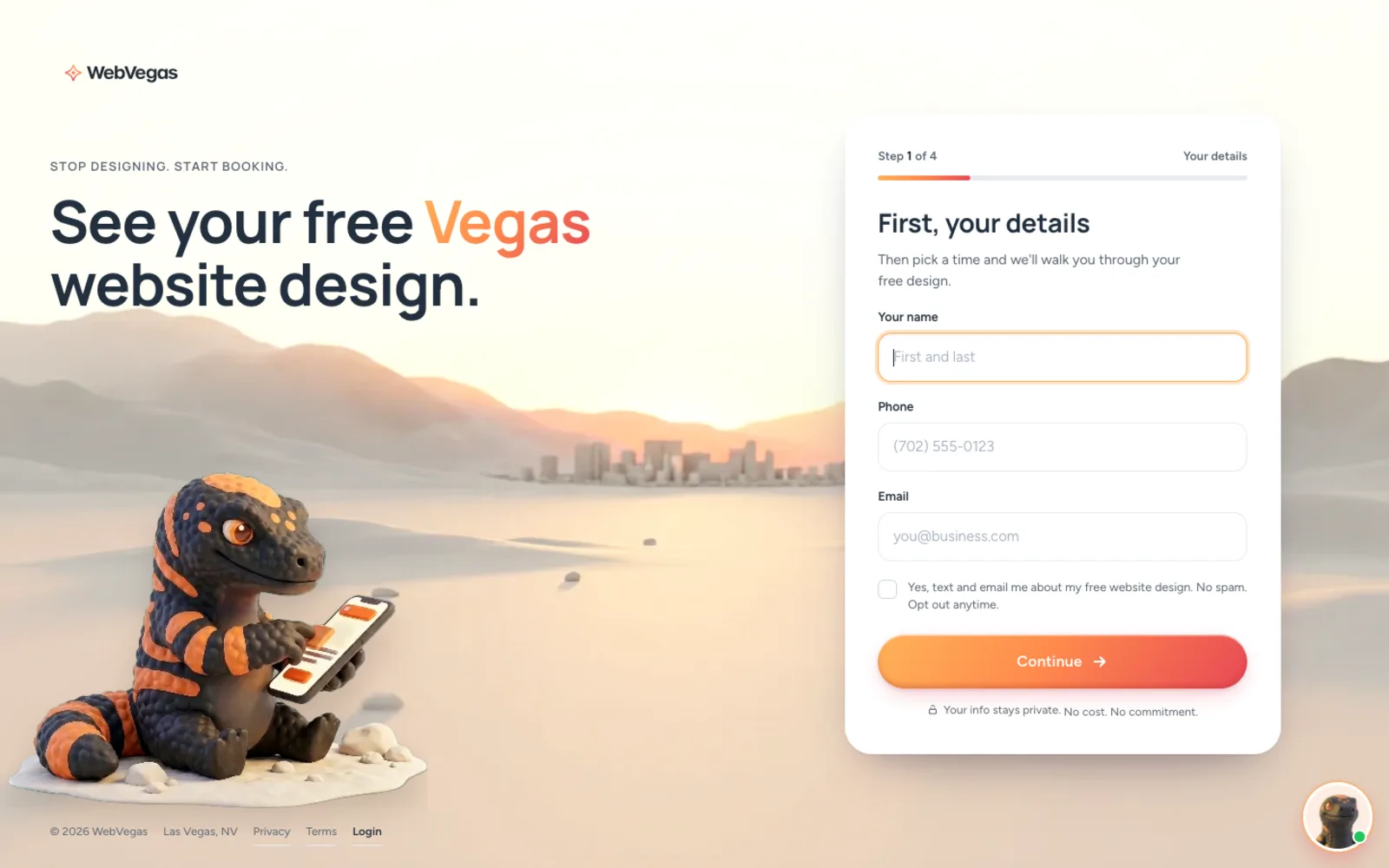
WebVegas: a Las Vegas web design brand and its booking funnel
I designed and built webvegas.io, a Las Vegas web design and SEO brand: the site, a four-step booking form that hands each lead a free design walkthrough, and the brand behind it.
See the live sitePortfolio Examples
More of the work
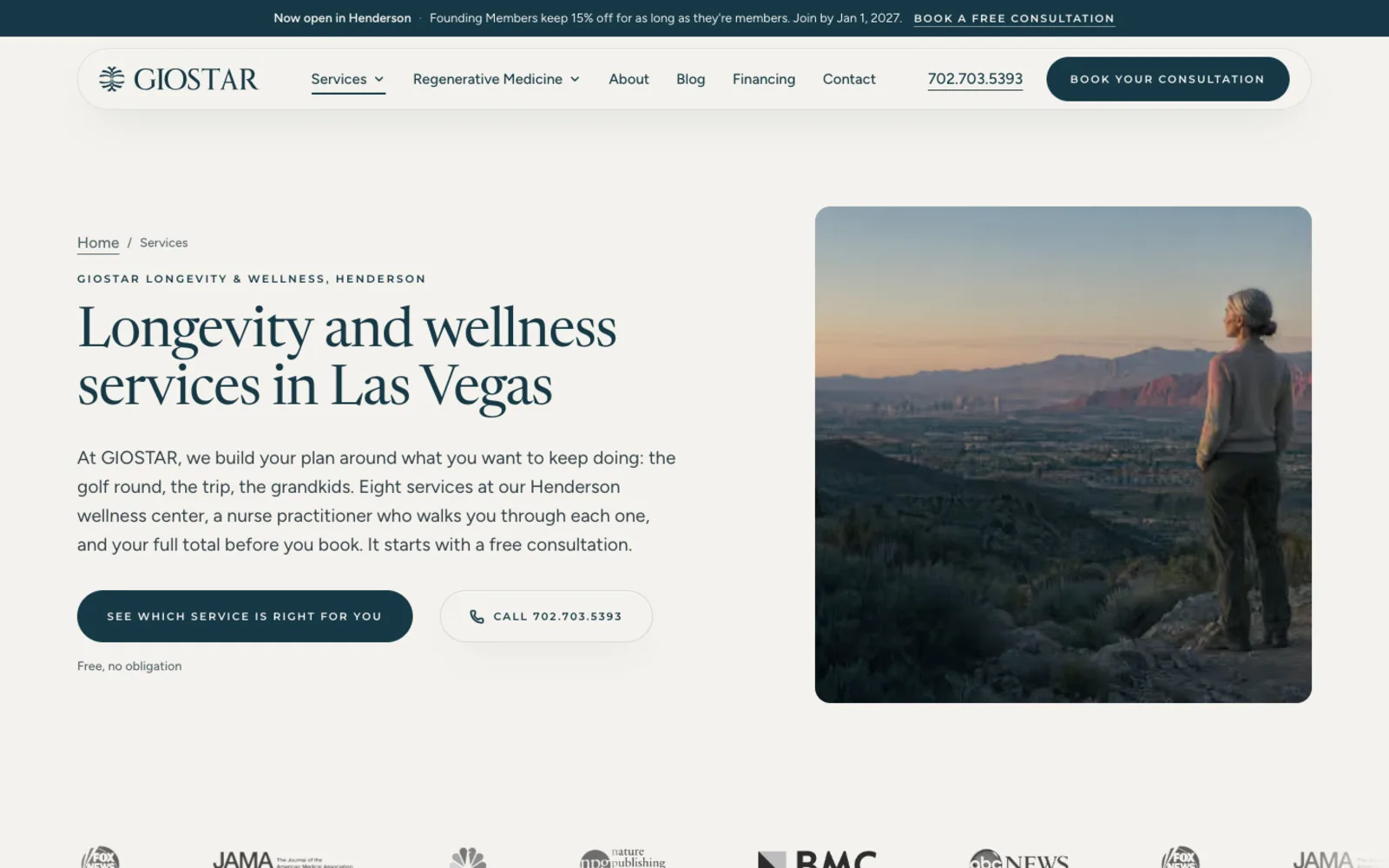
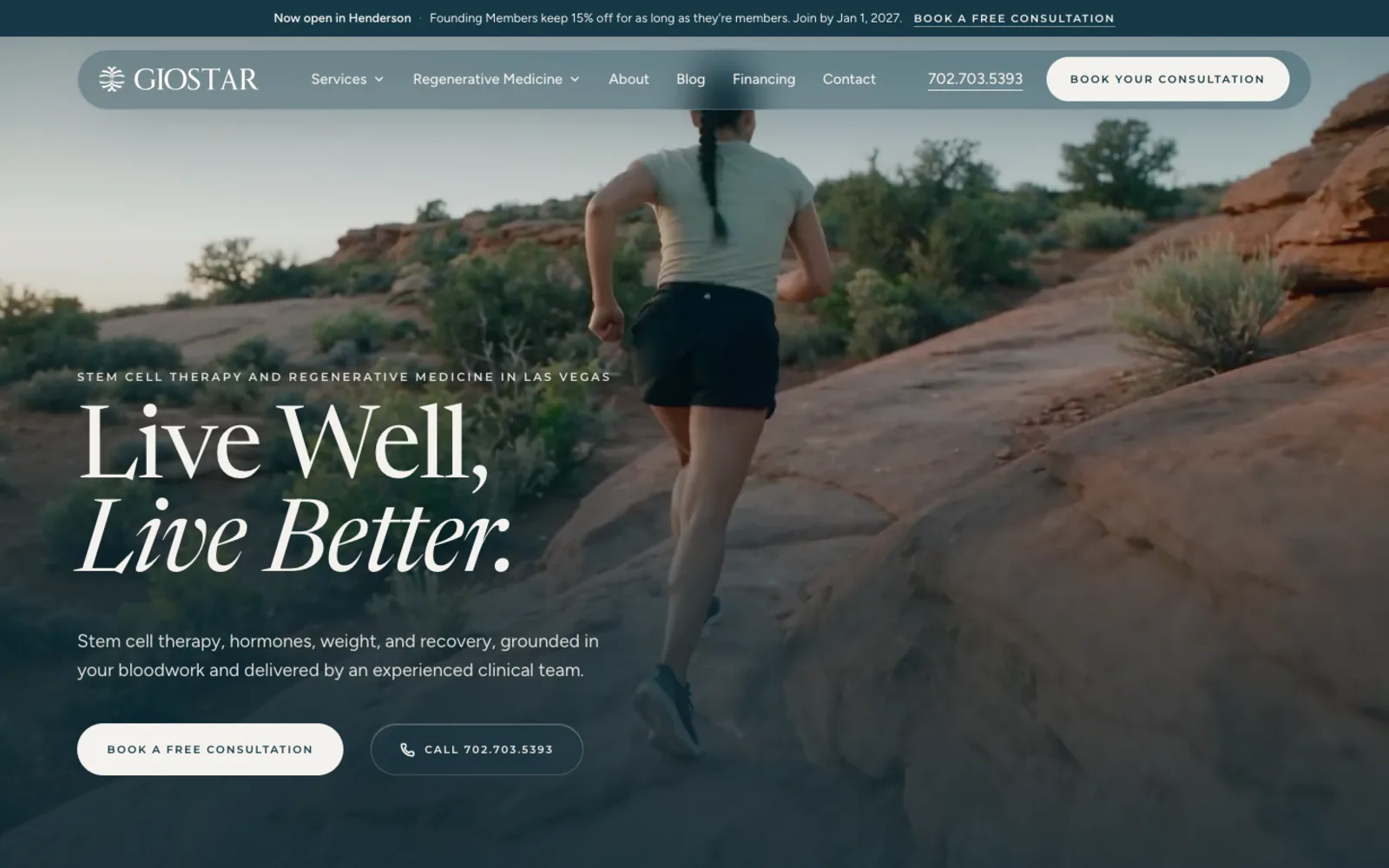
Website build · Henderson
GIOSTAR: the clinic website, booking and lead tracking
See the live site

Brand mark · Event venue
Desert Inn Oasis: the refined mark and the plan for the new site
Site in build

Brand identity · Pharma
Mili Pharma: the butterfly mark and the lockups
Site in build
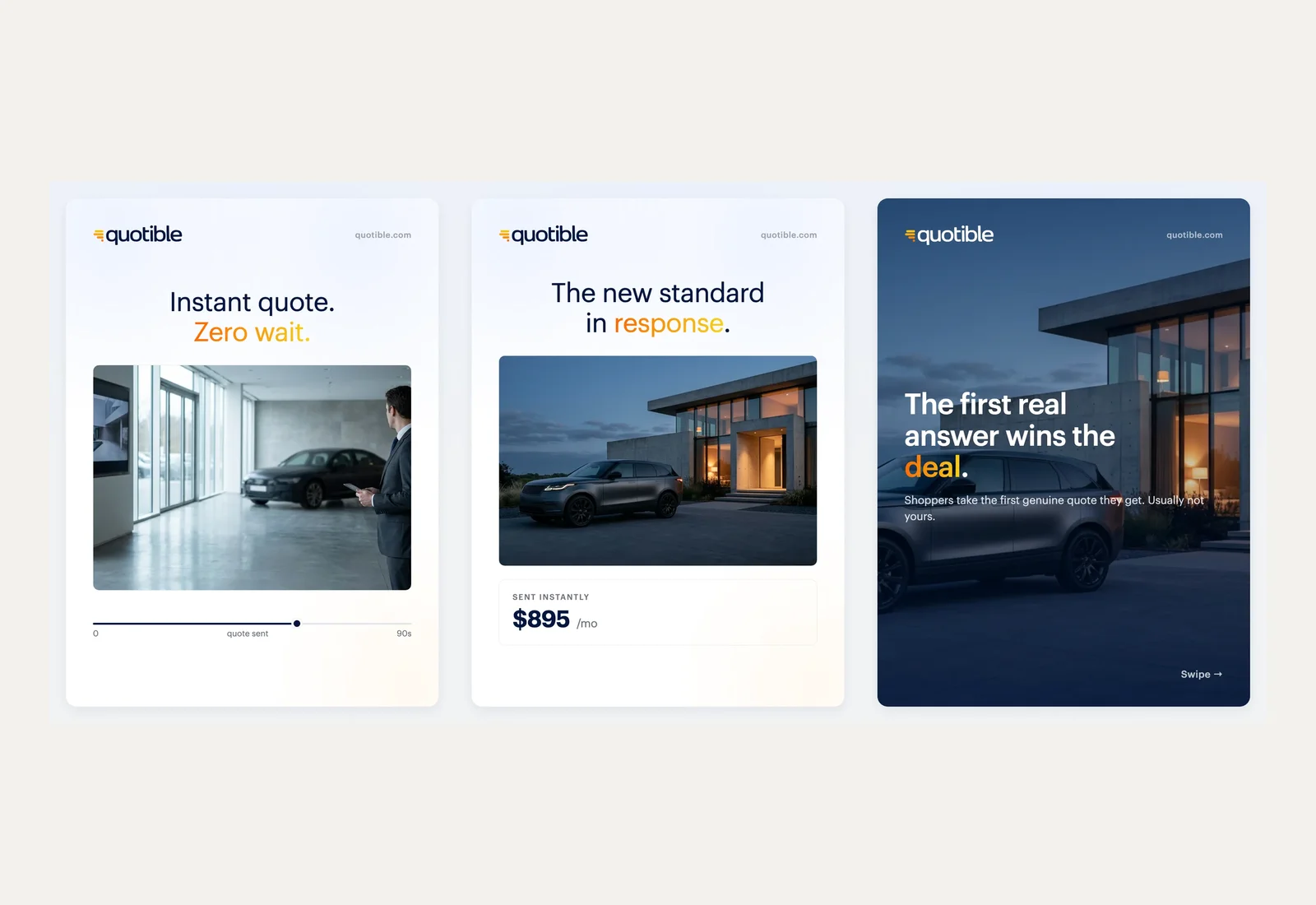
Social content system
Quotible: a testimonial-led social series
Content system

Want me to look at your site first?
A free audit, and a same-day reply from Justin, personally.
Building a clean email list for automation
A list that holds only opt-ins
Automation reaches every contact in a segment, so the list is the first thing to fix. Old imports, duplicate records and addresses that bounce all damage the sequences built on top of them. Cleaning the list means removing the contacts who cannot be reached and keeping the record of where each remaining contact came from.
I import only contacts who opted in, and I keep the source on each record. A signup form, a checkout box and a paper sheet from a past event carry different consent, so they go into different segments and receive different sequences.
Consent is checked at import, not after it. A file without a source column goes back for a source before any contact enters a sequence, which keeps the consent question out of the sends.
Lists also decay. A contact who has not opened or clicked in a long stretch is moved to a separate segment and removed from the main sequences, so the active list reflects the people who still read email.
Email automation reporting for owners
One page you can check
The monthly readout is one page. It lists each sequence, the contacts who entered it, the ones who replied or booked, the ones removed by a suppression rule and the ones who reached the end. Each figure matches a screen in the email platform.
Open rates appear, but they are not the headline. The headline is what a sequence moved: the bookings, the replies and the sales that followed the emails. A sequence that opens well and moves nothing is named on the page, with the change proposed for it and the date that change will be made.
The readout also lists each sequence that was paused and the reason, so a quiet month is explained rather than assumed.
When a sequence underperforms, the readout shows the step where contacts drop out. That step is the place to change first, because a drop at the second email points to a different problem than a drop at the last one.
What I set up for email
Each part below can be opened and checked in the account after launch.
Each item is delivered as a document or a screen in the account rather than as a promise, and the handover names the place where each one lives.
The setup list covers the sending domain and its authentication records, the list-import rules, the first three sequences and the test inbox used for every change. Each item is checked off in the handoff note, so the owner can see what was built and why.
Six parts of a working email program
Trigger map
Every trigger, wait and exit drawn on one page before any sequence is built.
Welcome sequence
A short first series for new contacts, with one clear next step in each email.
Lead follow-up
A sequence for people who asked for a quote and then went quiet.
Test sends
Preview and test-contact runs logged for each email and each path.
Approval log
A dated record of who approved each email and when it went live.
Monthly readout
One page showing what each sequence moved, stopped and sent.
Email Automation Reviews
What clients wrote on Google
- ★★★★★
After going back and forth on whether to bring in outside help, we ended up working with Justin for some AI consulting on how to structure our operations. He laid out a clear plan, didn't overcomplicate it, and we've been running smoother since. Good fit for a service business. He knows Las Vegas and he knows this stuff.
Kristen S. · Google
- ★★★★★
Justin joined our team a few months before opening to replace a marketing agency that wasn’t performing. He stepped up fast. Within weeks he launched a fully redesigned website with new brand guidelines, built and delivered our marketing plan and AI strategy, and helped implement our system architecture so we could open on time. Since then, he’s made several critical enhancements to the site that helped us generate revenue in our first month. His engagement was supposed to end at opening, but he became such an integral part of our leadership team that we kept him on to help evolve our marketing and tech strategy as we grow. He’s easy to work with, pushes back when it matters, and moves easily between strategy, delivery, and operations depending on what’s needed. If you’re looking for a deeply experienced, knowledgeable, and dedicated marketing, AI, or technology consultant, I highly recommend Justin Harris AI Consulting.
Devin R. · Google
- ★★★★★
Justin has been a true Gem to have as part of our company. His professionalism, immediate attention to branding and extensive details in marketing has made so much improvement on our business. We are forever grateful to have such and amazing marketing asset and cannot thank you enough Justin!
Desi W. · Google
- ★★★★
Justin Harris was very helpful in resolving some issues we had with our Webflow website.
Kristy F. · Google
- ★★★★★
I had the pleasure of working alongside Justin and consistently saw firsthand the level of dedication and professionalism he brings to his work. He was always the first one in the office, setting the tone with his strong work ethic and commitment to excellence. What stood out most was how deeply he cared about every client. He approached each project with thoughtfulness, expertise, and a genuine drive to deliver meaningful results. He combines sharp technical knowledge with a practical, solutions-oriented mindset, which makes him especially effective in the AI space. Any organization looking for thoughtful, reliable, and highly skilled AI consulting support would be in great hands working with him!
Jenevine Y. · Google
- ★★★★★
Hired him to manage our AI systems and it's been pretty smooth. He knew what needed to be done and got it handled without a lot of back and forth. Good experience for our service business.
BC G. · Google
- ★★★★★
I follow Justin on social media and read about his work and his contributions to the AI industry. He really knows how to use the technology in creating a system that allows you to make your business work more efficiently and effectively.
Ana J. · Google
- ★★★★★
Justin was the person I would go to for advice about AI automation for my workload. He knew the subject well and didn't overcomplicate it. For anyone in Las Vegas running a service business and wondering if AI systems are worth looking into, talking to him first is a great move!
Yaneliz M. · Google
- ★★★★★
Working with Justin is always a pleasure. He is professional, trustworthy, and consistently delivers outstanding results. As a longtime Las Vegas local, he has an exceptional knowledge of the territory and truly understands the market. I highly recommend his services to anyone who is serious about growing their business!
k C. · Google
- ★★★★★
From what I've seen, Justin knows the AI automation space better than most people I've come across in Las Vegas. He's the kind of person who actually understands the technical side and can explain it without making you feel lost. Good guy, good reputation.
Afaryn F. · Google
- ★★★★★
I've Known Justin for a while now and he really knows his stuff when it comes to AI consulting. If people in Las Vegas were to ask me for recommendations in this space, he's the best guy for the job, hands down.
Mickey S. · Google
- ★★★★★
After going back and forth on whether to bring in outside help, we reached out to Justin for some AI consulting advice on where our service business could actually use automation. He was straightforward about what made sense and what didn't. Ended up being a useful conversation. Las Vegas has no shortage of people claiming to be experts, and he's one of the few who could back it up.
Vincent M. · Google
- ★★★★★
Known Justin for a few years now and the guy actually knows his stuff when it comes to AI automation. Friends in the Las Vegas service business space keep asking me who to call and I always point them his way.
Chris M. · Google
- ★★★★★
Justin is one of those guys who actually knows what he's talking about and doesn't cut any corners. Will definitely be working with him again.
David S. · Google
- ★★★★★
Justin knows what he's doing highly recommend using his service he will treat you right and give you tremendous value !👍
Gregory J. · Google
- ★★★★★
Known Justin for a many years and the guy actually knows what he's talking about when it comes to AI and automation. Not the type to just throw buzzwords around. Based in Las Vegas and well connected in the space. …
cindy D. · Google
- ★★★★★
Known Justin for a few years now. Guy knows the AI space better than most people I've come across, especially here in Las Vegas where there's no shortage of people claiming to be experts. He actually understands how AI automation works at a practical level, not just the theory. The kind of person who gives you a straight answer with kindness and patience
Katelyn H. · Google
- ★★★★★
Knew Justin before he started building AI systems for businesses, and watching what he's put together is genuinely impressive. He built out an AI automation setup for my website in Las Vegas and it changed how we handle leads completely. The guy actually runs this stuff himself, so he knows what works.
Justin E. · Google
Email automation for law firms and practices
Practices that book consultations
Law firms, accountants and medical practices run on consultations. The first contact is often an inquiry form, and a lead that waits a day for an answer may book elsewhere. A sequence can confirm the request, send the intake forms and route an urgent question to a person the same day.
These fields have rules that a retail store does not. An email cannot reveal a diagnosis, and a firm cannot send a promotion that reads like legal advice. Compliance is the owner's counsel's call. I build what counsel approves and mark each email that needs a second read before it is approved.
Each intake email names the next step and the person who will follow up, so a prospective client knows what happens after they write, and no message promises an outcome.
Cold email built for a Las Vegas brand
Email that opens with a finished homepage
How an email automation project runs
Each project follows the same five steps. Each step ends with a document the owner can open, and nothing moves forward until the step before it is approved.
The order of the steps is fixed because each one depends on the last. A draft cannot be tested until it is mapped, and nothing can be approved until it has been tested, so every approval rests on evidence.
Projects start with one sequence, not twelve. The first sequence goes live, collects a few weeks of results and only then does the next one get built, so each new flow starts from real data rather than guesses. Each step in the timeline is named with its goal and the metric that shows whether it worked.
Map, draft, test, approve, launch
- Step 01
Map the sequences
Each trigger, wait, branch and exit goes on one page, and the owner signs off on the map.
- Step 02
Draft the emails
Copy is written in the business's own voice and marked draft until it passes review.
- Step 03
Run the tests
Test sends on a phone and test contacts on every path, with the results logged.
- Step 04
Approve the launch
The owner approves each email, and the approval is dated before the sequence can run.
- Step 05
Watch and report
The first week of sends is watched, and the monthly readout names each change made.
Connecting email automation to a CRM
One list, one source of truth
An email sequence is only as good as the record it reads. When the contact list lives in one place and the sales pipeline lives in another, a lead can receive a welcome email after the sales team has already closed the deal. Connecting the two stops that, and it keeps the sequence aware of what happened in the pipeline.
I connect email to the CRM the business already runs, and I build inside it. If there is no CRM, I say so and suggest one only when the volume justifies it. The connection is tested with real contact records before any sequence reads from it.
The connection also tells the sequence when a lead has become a client, so the welcome flow stops and the onboarding flow starts without a manual hand-off.
The connection runs both ways, so an unsubscribe in the email tool updates the CRM the same day and a closed deal stops the nurture flow.
How much does email automation cost
What moves the scope
I quote a fixed price for a written scope after I have looked at the list, the current sequences and the platform. I do not print a number before that look, because a single welcome sequence and a full lifecycle program need very different work. Each item on the list changes the price only when it changes the work.
The scope is written after the first look, and the written scope shows each item it covers, so the quote can be compared line by line with any other quote the owner receives.
Pricing depends on how many flows are built, how many lists must connect and how many reports the owner wants each month. The quote lists those counts, and each flow has its own line so it can be dropped without rebuilding the rest. Ongoing work is priced as a monthly block of changes, not as an open invoice.
- How many triggers and sequences the map needs
- The state of the list and the consent record behind it
- Whether the sequences need new copy or existing copy reused
- How many systems the sequences must read from
- How much of the program the team will run afterward
Related email and messaging services
The services that connect to email
Email automation for hospitality and retail
Offers that follow a real purchase
Hospitality and retail businesses sell on a schedule set by seasons, events and reservations. A sequence can follow the purchase rather than the calendar: a thank-you after a stay, a note before a reservation, or an offer for the next event timed to the guest's own visit history. Each message names the one thing the guest is most likely to need next.
The risk is volume. A sequence that sends a promotion every week trains guests to ignore promotions. I set a limit on how many marketing emails one contact can receive in a month, and I keep transactional messages, such as a booking confirmation, outside that limit so they still arrive on time.
Seasonal sequences need an end date on the map as well as a start date. A holiday offer that keeps running into January is a common error, and the map makes the stop visible before the send.
Email automation and review requests
Asking for a review at the right time
A review request sent too early asks for an opinion before the customer has formed one. A request sent too late is forgotten. The timing belongs in the sequence map, set from the visit or delivery date, with a single reminder if the first request is ignored.
Reviews are the owner's to write, and any reply to a review is the owner's to send. The sequence only asks. It never writes the review, never offers an incentive for a positive one and never hides a negative response from the owner.
The request links directly to the review page the owner chooses, and the link is tested with a test contact before the sequence is approved. Each request appears as a line in the monthly readout, so the owner can see how many went out.
Email automation questions
Questions owners ask before they start
Email Automation Las Vegas NV
Every part of the Valley, by ZIP code
Las Vegas
89030 · 89101 · 89102 · 89104 · 89106 · 89107 · 89108 · 89109 · 89110 · 89117 · 89124 · 89128 · 89129 · 89130 · 89131 · 89134 · 89138 · 89143 · 89144 · 89145 · 89146 · 89149 · 89166
Henderson
89002 · 89005 · 89011 · 89012 · 89014 · 89015 · 89044 · 89052 · 89054 · 89074 · 89120 · 89122 · 89123 · 89183
North Las Vegas
89030 · 89031 · 89032 · 89081 · 89084 · 89085 · 89086 · 89101 · 89115 · 89130
Summerlin
89128 · 89134 · 89135 · 89138 · 89144 · 89145 · 89148 · 89161
Spring Valley
89102 · 89103 · 89113 · 89117 · 89118 · 89146 · 89147 · 89148 · 89178
Paradise
89074 · 89102 · 89103 · 89109 · 89118 · 89119 · 89120 · 89121 · 89123 · 89158 · 89169 · 89183
Enterprise
89113 · 89118 · 89119 · 89123 · 89139 · 89141 · 89148 · 89178 · 89179 · 89183
Sunrise Manor
89104 · 89110 · 89115 · 89121 · 89122 · 89142 · 89156
Boulder City
89005 · 89044
Proof, not promises
Case studies I can show you
The AI Marketing System I Run My Own Business On
A done-for-you AI marketing system in Las Vegas: a multi-agent workforce that runs your web, ads, follow-up, content, and reporting. You approve, it executes.
Read the case studyNurseForward: A Full Agency's Output on One Approval Chain
A full paid-acquisition funnel on one approval chain: landing page, ad strategy, creative, and graphics. NurseForward's top ad hit a 7.56% CTR at $0.31 CPC.
Read the case studyThe Content Waterfall: A 13-Step Approval Chain Where High-Confidence Content Auto-Publishes
An AI content system that runs a 13-step approval chain: high-confidence pieces auto-publish, the rest route to one human gate. The same engine I run on my own brand.
Read the case studyMessaging and Follow-Up Services
The rest of what I run
Hire an email automation builder
A map before any email sends
Send me the sequences you already run and the list behind them, and I will tell you which to keep, which to fix and what the first map should cover.